Marine Navigation with FLIRONE Augmented Reality

Augmented Reality with FLIR ONE

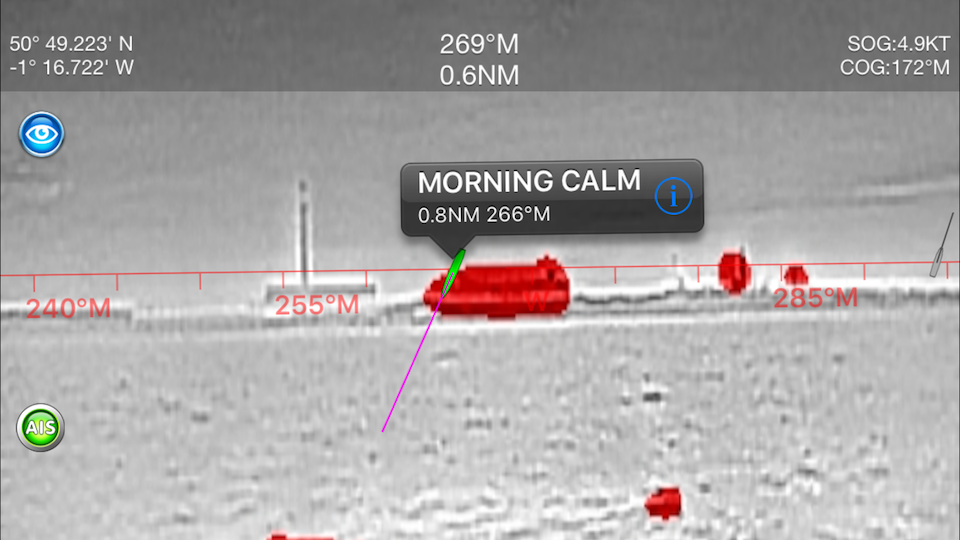
MORNING_CALM_BB_AR_FLIR_IOSPocket Mariner collaborated with Practical Boat Owner to successfully complete a demanding night time sea trial of our popular marine navigation apps, SeaNav HD and Boat Beacon with the  FLIR ONE Thermal Camera; a new, low cost , infra-red thermal imaging camera for the iPhone.  The FLIR ONE makes thermal imaging affordable and accessible to a much wider audience at a fraction of the cost of the higher end marine IR imaging devices. Pocket Mariner have ingeniously integrated the live thermal image with their widely acclaimed iOS Augmented Reality mode providing identification, distance and bearing of the ships and Aids To Navigation in view at night and in fog.  We wanted to see how well and how far off we could spot ships via their infra-red signature and if the FLIR ONE could help with searching for a Man Overboard (MOB).

Practical Boat Owner, the UK’s leading boating magazine, bravely deployed their editors, David Pugh and Ben Meakin, together with Ben’s Impala 28 yacht , “Polly” and intrepid “Woman Overboard” volunteer, Laura, along with Pocket Mariner’s CEO, Steve, on a pitch black night in Southampton water.

Here’s what we saw.

Continue reading “Marine Navigation with FLIRONE Augmented Reality”
SailTimer Wind Instrument, SeaNav and Pebble SmartWatch

Some of SailTimer’s customers asked them if their bluetooth WindInstrument would work with Pocket Mariner’s  SeaNav Marine Navigation app and if the wind information could also be displayed on our free SeaNav Pebble watch companion app. So SailTimer asked us and now it does…
diag copy
windinstruments
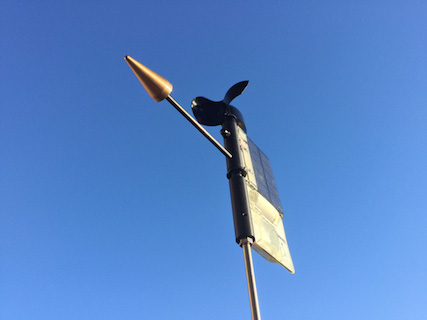
The SailTimer WindInstrument is completely wireless, no power of data lines, so the install is far simpler than for other marine wind vanes.  It is the first masthead anemometer  with a digital compass built into the wind direction arrow so you get true wind direction even when docked or at anchor. It sends the wind data via bluetooth and is solar powered with 24 hour running. The WindInstrument if fully weather and waterproof (submersible) and has innovative wind cup blades design to maintain equal accuracy when sailing heeled over.

Continue reading “SailTimer Wind Instrument, SeaNav and Pebble SmartWatch”

Simple 3dB dipole VHF AIS Marine Aerial from co-ax cable

Here’s how we make an AIS tuned 3dB gain VHF aerial using RF-coax cable.
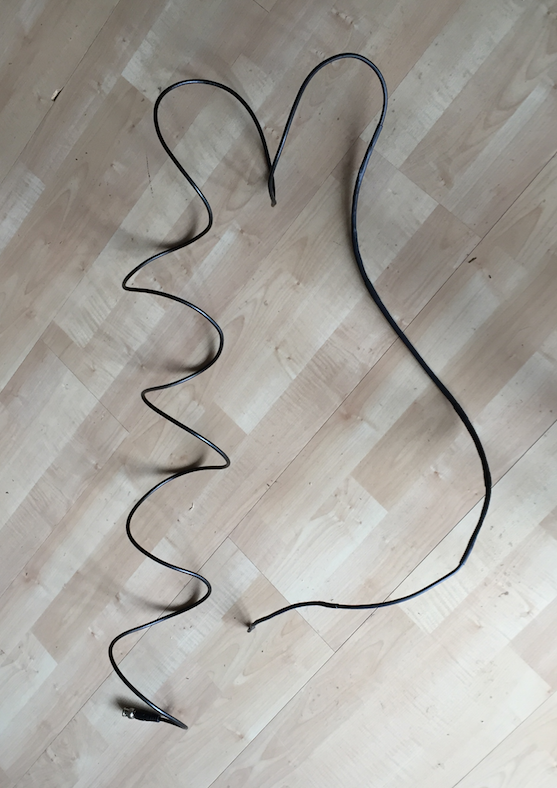
Buy a 5 or 10m length of  50 ohm RF coax cable with bnc connectors already attached – this makes two – http://www.amazon.co.uk/dp/B00JVUP0L4. Cut to required length. Strip back the outer coating at the cut end to a length of 44.4cm + 5cm to make a loop (1/4wave for AIS frequencies). Pull the inner core through the outer sheath and lay the outer sheath back along the length of the coax and trim to 44.4cm. I add a couple of cm to the length so I can bend the tip of the inner core back on itself to hook it over something. Make sure the length of the inner is 44.4cm excluding the looped over end. Cover in heat shrink wrap if you want to make it waterproof and you have a 3dB gain AIS Aerial.
There is a useful video here showing how to do it here :-
and a photo of a 5m long one we made earlier. This one had a range of over 25NM when we put it on the 20th floor of a high rise in Singapore.
Screen Shot 2016-04-08 at 15.07.39

You could also go one step further and make a 6dB  collinear like this from Neil Arundale (I have made and used one of these too and it compared equally with a £120 commercial collinear).

I hope that this inspires someone. If you get connected up please consider sharing your AIS data with us. We can provide a dedicated port and web view for your data.

ShipPlotter AIS sharing to Boat Beacon and Pocket Mariner

Its very easy to set up using the UDP/IP peer to peer sharing feature in ShipPlotter’s I/O settings. See screenshots below. Select enable in the UDP/IP peer-to-peer output, enter the IP address 54.204.25.151 and Remote Port number 5322 (see area circled in red).

ShipPlotterBoatBeacon

Click OK when finished. You will return to the main program window. Click on the “Start” button and you should then see your data on this web page:-

N.B. If you would like your own dedicated UDP port number and web view to share to please email us at support@pocketmariner.com